To add documents to your application, click the green plus sign next to the document you are trying to upload.
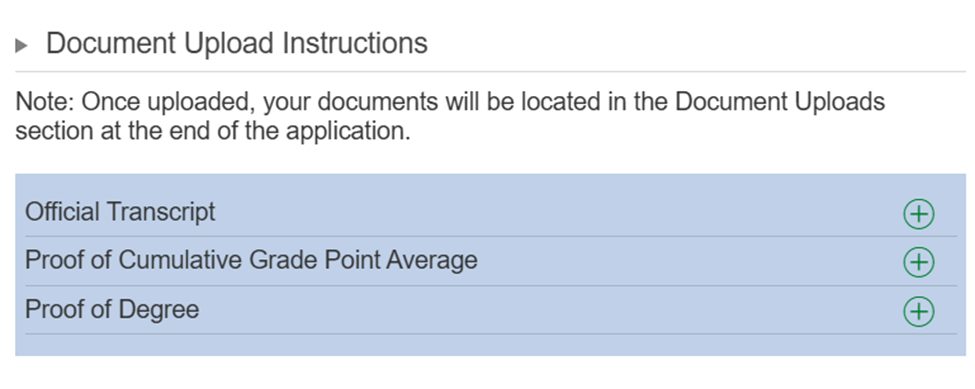
Once you have uploaded documents, you can view them at the bottom of your application, under the "Document Uploads" section, where you can also add any additional documents needed.
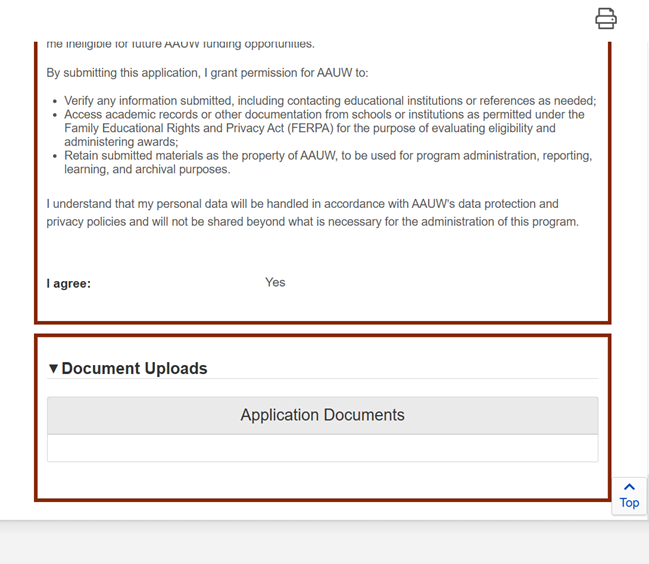
If you need to upload any additional documents, you must do so in the "Document Uploads" section as the green plus sign pictured above will disappear after you upload a document. When adding additional documents, please select the type of document from the drop-down menu available.
Was this article helpful?
That’s Great!
Thank you for your feedback
Sorry! We couldn't be helpful
Thank you for your feedback
Feedback sent
We appreciate your effort and will try to fix the article